Buttons
Printed From: Web Wiz Forums
Category: Web Wiz Web App Support Forums
Forum Name: Web Wiz Forums Modifications
Forum Description: Mod's and Add-on's for Web Wiz Forums.
URL: https://forums.webwiz.net/forum_posts.asp?TID=30072
Printed Date: 29 March 2026 at 1:29pm
Software Version: Web Wiz Forums 12.08 - https://www.webwizforums.com
Topic: Buttons
Posted By: lordtec
Subject: Buttons
Date Posted: 28 December 2011 at 3:09am
How do I put the buttons on Facebook, Twitter,.... on my forum?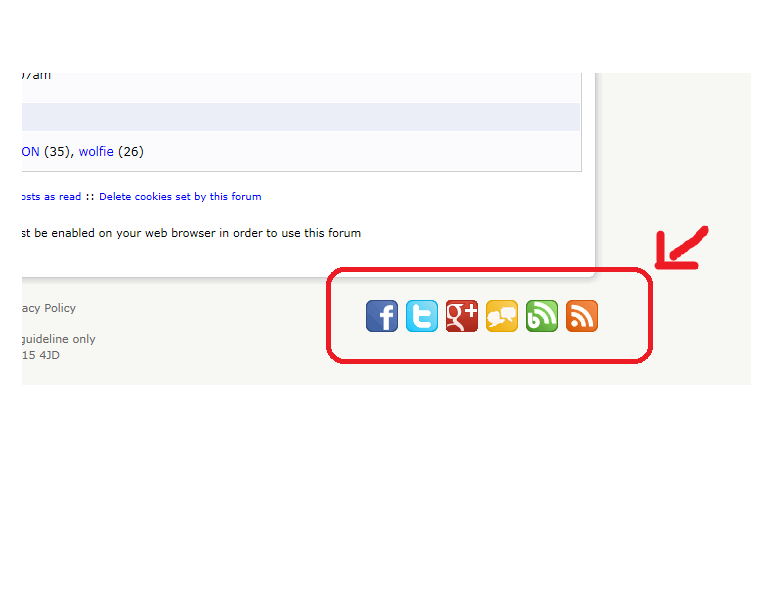
|
Replies:
Posted By: doug-hoff
Date Posted: 28 December 2011 at 7:34pm
It would be fairly easy to do. If you are running version 10.3 then login to your admin area and under custom footer you need to put this (obviously changing your links and making sure that you do not hot-link to any images on web wiz forums)
<div style="float: right; text-align: right; width: 240px;">
   <a href="http://www.facebook.com/WebWiz"><img src="http://img.static-webwiz.net/images/facebook.gif" alt="Become a Fan on Facebook" title="Become a Fan on Facebook" width="32" height="32" hspace="2" border="0" onmouseover="fadeImage(this)" onmouseout="unFadeImage(this)" /></a>
   <a href="http://www.twitter.com/WebWizUK"><img src="http://img.static-webwiz.net/images/twitter.gif" alt="Follow us on Twitter" title="Follow us on Twitter" width="32" height="32" hspace="2" border="0" onmouseover="fadeImage(this)" onmouseout="unFadeImage(this)" /></a>

   <a href="https://plus.google.com/112901752243977925739"><img src="http://img.static-webwiz.net/images/google-plus.gif" alt="Find us on Google+" title="Find us on Google+" width="32" height="32" hspace="2" border="0" onmouseover="fadeImage(this)" onmouseout="unFadeImage(this)" /></a>
   <a href="http://forums.webwiz.net"><img src="http://img.static-webwiz.net/images/forum.gif" alt="Community Forums" title="Community Forums" width="32" height="32" hspace="2" border="0" onmouseover="fadeImage(this)" onmouseout="unFadeImage(this)" /></a>
   <a href="http://blogs.webwiz.net"><img src="http://img.static-webwiz.net/images/blog.gif" alt="Web Wiz Blogs" title="Web Wiz Blogs" width="32" height="32" hspace="2" border="0" onmouseover="fadeImage(this)" onmouseout="unFadeImage(this)" /></a>
   <a href="http://feeds.feedburner.com/WebWiz"><img src="http://img.static-webwiz.net/images/rss.gif" alt="Web Wiz News" title="Web Wiz News" width="32" height="32" hspace="2" border="0" onmouseover="fadeImage(this)" onmouseout="unFadeImage(this)" /></a>
</div> |
So in your case you need to get your own images as these will be perhaps copyrighted, maybe add a float right to your CSS file
|
Posted By: Bo3Dyx
Date Posted: 12 January 2012 at 7:26am
|
Using version 10.3, but in the settings forum have the opportunity to place somethingor just to the top of the forum. And where to look for the bottom?
|
|