Web Wiz - Green Windows Web Hosting

  New Posts New Posts RSS Feed - error when connecting to SQLServer
  FAQ FAQ  Forum Search   Events   Register Register  Login Login

error when connecting to SQLServer

 Post Reply Post Reply Page  <123>
Author
Constantine287 View Drop Down
Newbie
Newbie


Joined: 02 August 2006
Location: United States
Status: Offline
Points: 7
Post Options Post Options   Thanks (0) Thanks(0)   Quote Constantine287 Quote  Post ReplyReply Direct Link To This Post Posted: 08 August 2006 at 11:06am
thank -boRg-, but still something wrong when I followed steps at link:

http://webwiz.net/web_wiz_forums/docs_ms_sql_install.asp?mode=forum

even when I reinstalled SQL Server!

Here the step-by-step I worked:

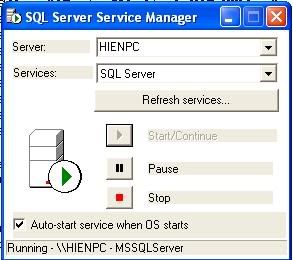
Reinstalled SQL Server 2000:
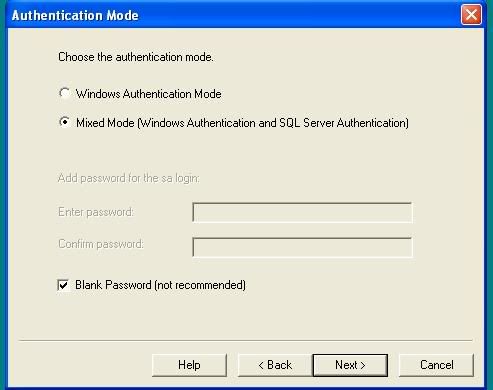


Created a blank database:
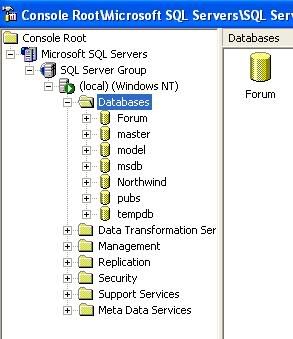

Modified in database_connection.asp


and run msSQL_server_setup.asp
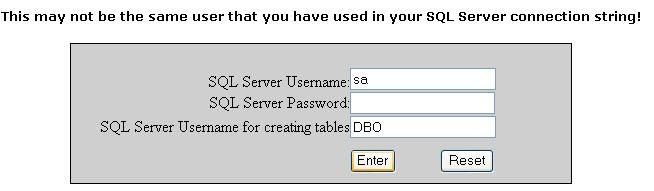

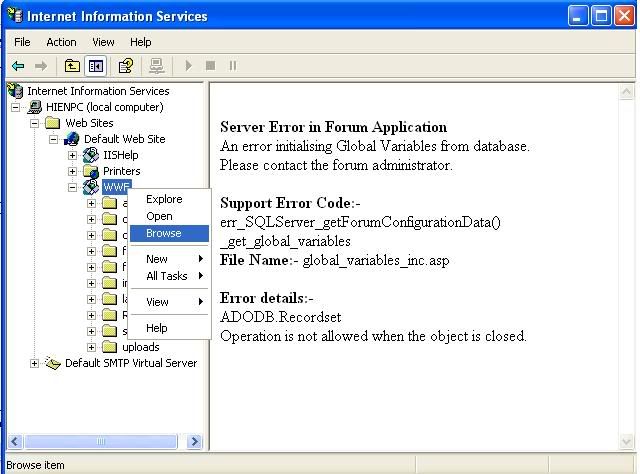
and finally got errors:

Server Error in Forum Application
An error initialising Global Variables from database.
Please contact the forum administrator.

Support Error Code:- err_SQLServer_getForumConfigurationData()_get_global_variables
File Name:- global_variables_inc.asp

Error details:-

ADODB.Recordset
Operation is not allowed when the object is closed. 

I have  .Net  Framework 1.1, .Net Framework 1.1 SDK installed!


Edited by Constantine287 - 08 August 2006 at 11:14am

Back to Top
WebWiz-Bruce View Drop Down
Admin Group
Admin Group
Avatar
Web Wiz Developer

Joined: 03 September 2001
Location: Bournemouth
Status: Offline
Points: 9844
Post Options Post Options   Thanks (0) Thanks(0)   Quote WebWiz-Bruce Quote  Post ReplyReply Direct Link To This Post Posted: 08 August 2006 at 11:07am
carywinton That looks totally confusing and not correct in many cases, I have never had to setup a SQL Server for web wiz forums in that way.

I would stick with the default install instructions that come with web wiz forums as you shouldn't need to mess with IUSR accounts at all except for permissions and you shouldn't be using NT authentication for the database login.


Edited by -boRg- - 08 August 2006 at 11:08am
Back to Top
WebWiz-Bruce View Drop Down
Admin Group
Admin Group
Avatar
Web Wiz Developer

Joined: 03 September 2001
Location: Bournemouth
Status: Offline
Points: 9844
Post Options Post Options   Thanks (0) Thanks(0)   Quote WebWiz-Bruce Quote  Post ReplyReply Direct Link To This Post Posted: 08 August 2006 at 11:13am
Constentine287 all looks well although you should always give the SQL Server a password and never leave it blank otherwise anyone can get access to it.

It looks like you have sorted the connection issue and you are now connecting to the SQL Server database fine.

You mention you ran the SQL_server_Setup.asp file but didn't mention if it completed correctly with no errors?
Back to Top
Constantine287 View Drop Down
Newbie
Newbie


Joined: 02 August 2006
Location: United States
Status: Offline
Points: 7
Post Options Post Options   Thanks (0) Thanks(0)   Quote Constantine287 Quote  Post ReplyReply Direct Link To This Post Posted: 08 August 2006 at 11:54am
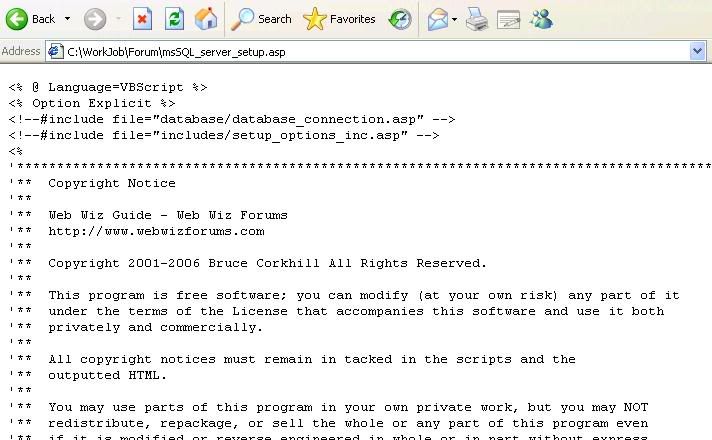
After clicked Enter button in msSQL_server_Setup.asp, IE don't put any errors! IE simply load the page  msSQL_server_Setup.asp code.


Back to Top
WebWiz-Bruce View Drop Down
Admin Group
Admin Group
Avatar
Web Wiz Developer

Joined: 03 September 2001
Location: Bournemouth
Status: Offline
Points: 9844
Post Options Post Options   Thanks (0) Thanks(0)   Quote WebWiz-Bruce Quote  Post ReplyReply Direct Link To This Post Posted: 08 August 2006 at 12:24pm
Web Wiz Forums and the setup tool within it are ASP files.

This means you need to run it through an ASP enabled web server, simply opening the file in IE won't make it run.
Back to Top
Constantine287 View Drop Down
Newbie
Newbie


Joined: 02 August 2006
Location: United States
Status: Offline
Points: 7
Post Options Post Options   Thanks (0) Thanks(0)   Quote Constantine287 Quote  Post ReplyReply Direct Link To This Post Posted: 08 August 2006 at 2:04pm
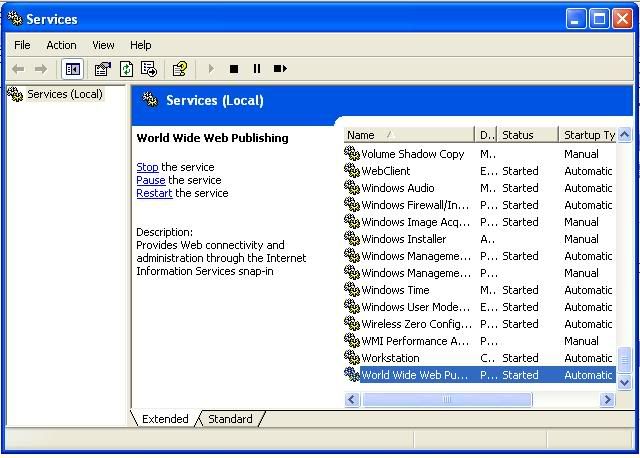
Certainly web server used is IIS on winXP Pro.
I installed IIS right after installing WinXP Pro, and iis is running.


I run msSQL_server_setup.asp it did not create database in blank database created before.

error when browse in Internet Information Services:


Edited by Constantine287 - 09 August 2006 at 4:26am
Back to Top
carywinton View Drop Down
Newbie
Newbie
Avatar

Joined: 17 July 2006
Location: United States
Status: Offline
Points: 5
Post Options Post Options   Thanks (0) Thanks(0)   Quote carywinton Quote  Post ReplyReply Direct Link To This Post Posted: 08 August 2006 at 2:35pm

-borg- ,

All righty then -borg- , what part of this is "NOT" correct, please advise.
Thank you.
Back to Top
WebWiz-Bruce View Drop Down
Admin Group
Admin Group
Avatar
Web Wiz Developer

Joined: 03 September 2001
Location: Bournemouth
Status: Offline
Points: 9844
Post Options Post Options   Thanks (0) Thanks(0)   Quote WebWiz-Bruce Quote  Post ReplyReply Direct Link To This Post Posted: 09 August 2006 at 9:51am
Constantine287, you need to first create the SQL Sever database, otherwise the forum will not run and you will get the error you mention.

You first need to create a blank database, then run the SQL_server_setup.asp file through an ASP enabled web server (IIS) so that this setup file creates all the tables etc (database schema). required for web wiz froums to store the data.

Once this is done the forum will then run, but not before you use trhe setup tool to create the database schema.


Back to Top
 Post Reply Post Reply Page  <123>

Forum Jump Forum Permissions View Drop Down

Forum Software by Web Wiz Forums® version 12.08
Copyright ©2001-2026 Web Wiz Ltd.


Become a Fan on Facebook Follow us on X Connect with us on LinkedIn Web Wiz Blogs
About Web Wiz | Contact Web Wiz | Terms & Conditions | Cookies | Privacy Notice

Web Wiz is the trading name of Web Wiz Ltd. Company registration No. 05977755. Registered in England and Wales.
Registered office: Web Wiz Ltd, Unit 18, The Glenmore Centre, Fancy Road, Poole, Dorset, BH12 4FB, UK.

Prices exclude VAT at 20% unless otherwise stated. VAT No. GB988999105 - $, € prices shown as a guideline only.

Copyright ©2001-2026 Web Wiz Ltd. All rights reserved.